

Investor & Developer Toolkit
Whether you're flipping, doing BRRR, taking on a development or running holiday lets, the profit is decided before you buy — in the appraisal. This toolkit lets you model a deal end to end, work back from GDV to what you can afford to pay for the land, estimate the capital gains tax on the way out, and stay on top of the ongoing costs once you own. Know the number before you commit, not after.
Same build quality throughout: Excel and Google Sheets, locked formulas, and editable tax assumptions so nothing goes stale at the next Budget.
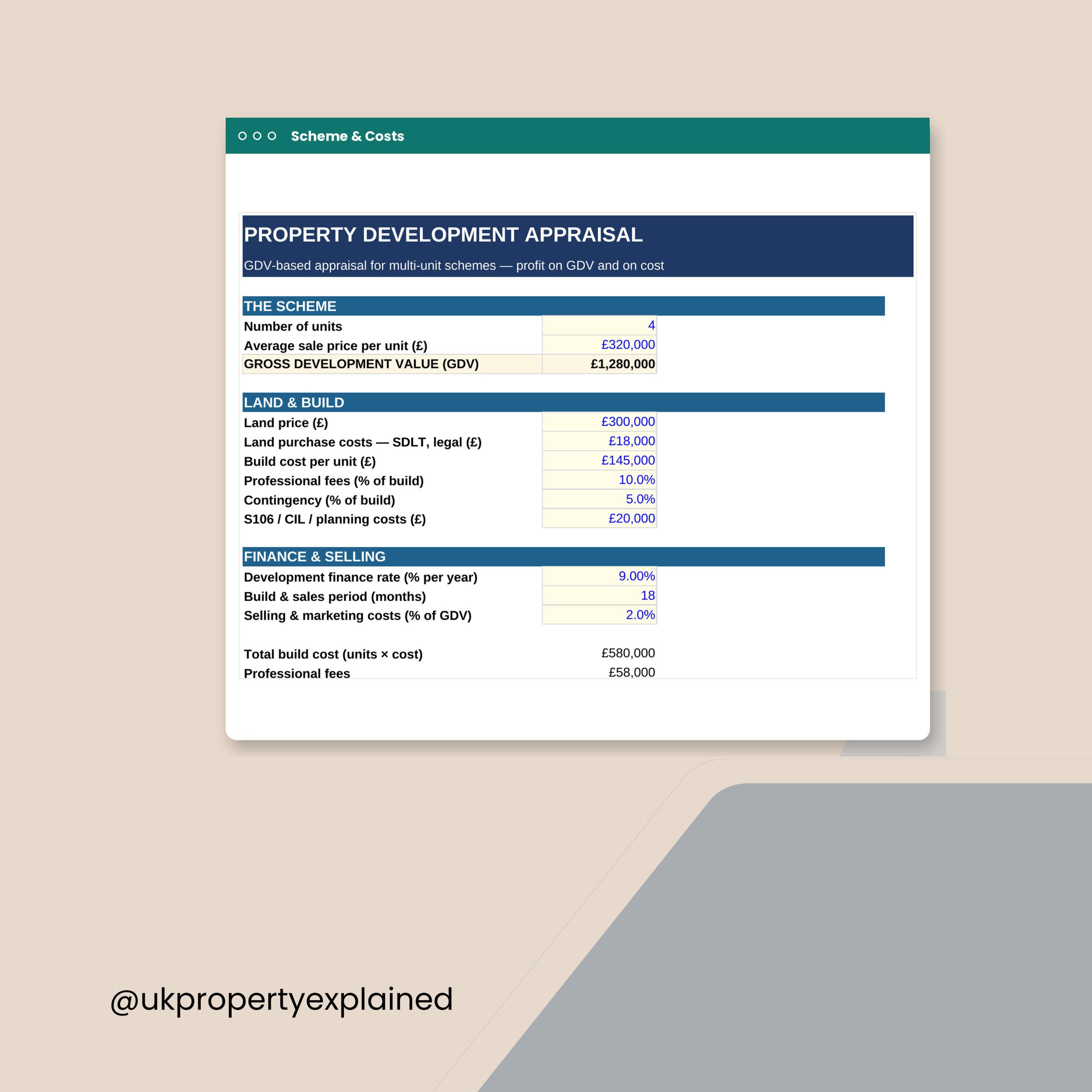
A proper GDV appraisal for a multi-unit scheme, without the £2,000 software.
YOU ENTER
• Number of units and average sale price per unit — that's your GDV
• Land price and land purchase costs
• Build cost per unit
• Professional fees, as a % of build
• Contingency, as a % of build
• S106 / CIL / planning costs
• Development finance rate, build and sales period, selling & marketing %
IT WORKS OUT
• Total build cost, professional fees and contingency
• Finance cost — modelled on land drawn at 100% and build at 50% average
• Selling and marketing
• TOTAL DEVELOPMENT COST
• Development profit
• Profit on GDV, and profit on cost
• Profit per unit
Lenders and JV partners look at profit on GDV. Most first-time developers
only look at the profit. That difference decides whether the scheme gets
funded.
Excel (.xlsx). Works in Microsoft Excel and Google Sheets. Instant download.
Educational tool only. Not financial or development advice. Build costs and
sale values must be checked locally. Correct as of July 2026.
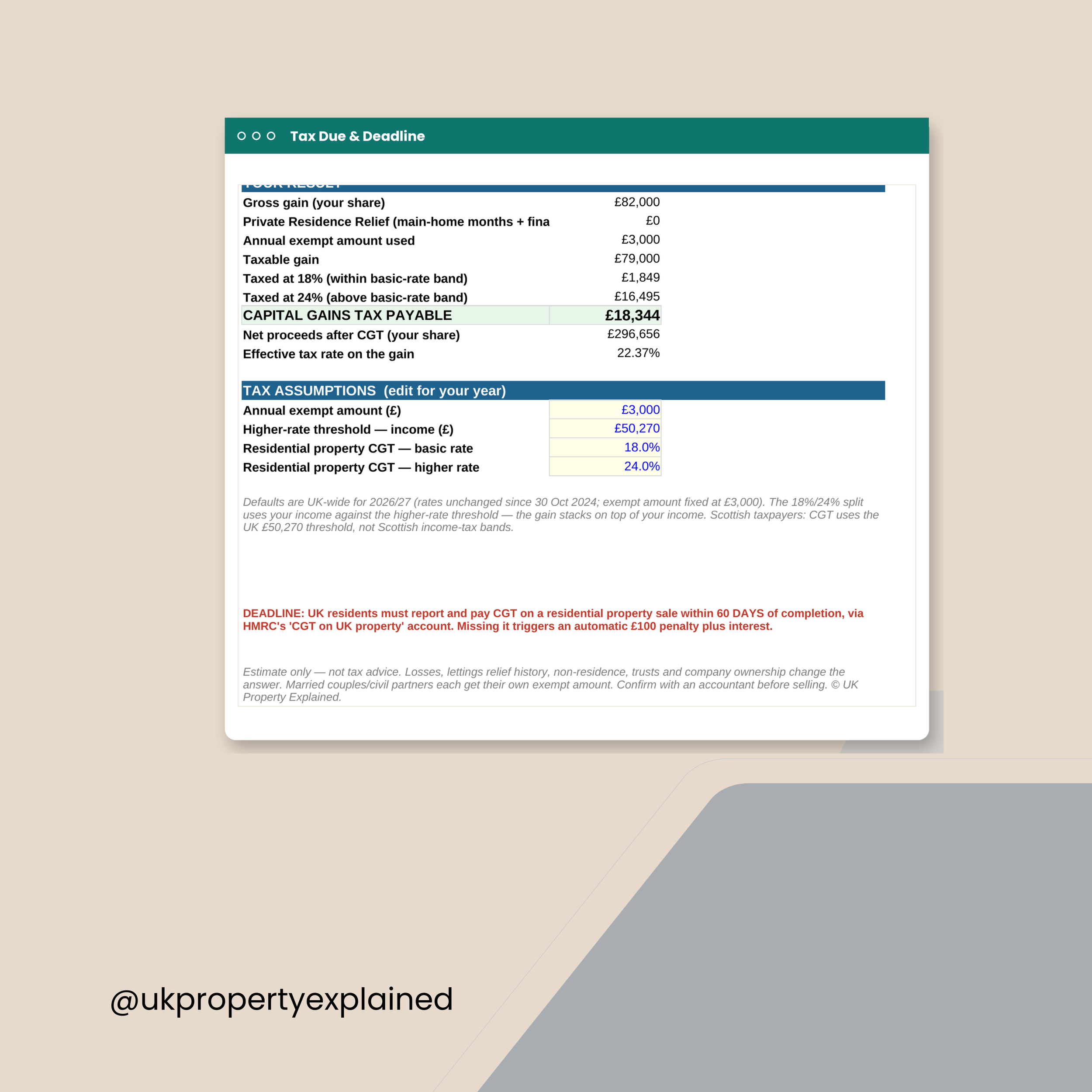
Work out the Capital Gains Tax before you sell — not after.
YOU ENTER
• Sale price and selling costs
• Purchase price, purchase costs and capital improvements
• Your share of the property
• Total months owned, and months it was your main residence
• Your total annual income
IT WORKS OUT
• Gross gain on your share
• Private Residence Relief — main-home months, plus the final 9
• The annual exempt amount you use
• Taxable gain
• The slice taxed at 18%, and the slice taxed at 24%
• CGT payable
• Net proceeds after tax
• Your effective tax rate on the gain
The annual exempt amount, the higher-rate threshold and both CGT rates are
editable, so it stays right when the rules move.
Worth knowing: residential property gains must be reported and paid within
60 days of completion. That deadline catches people out — and it starts
whether or not you've worked out the number.
Excel (.xlsx). Works in Microsoft Excel and Google Sheets. Instant download.
Educational tool only. Not tax advice. CGT is fact-specific — take proper
advice before you sell. Correct as of July 2026.
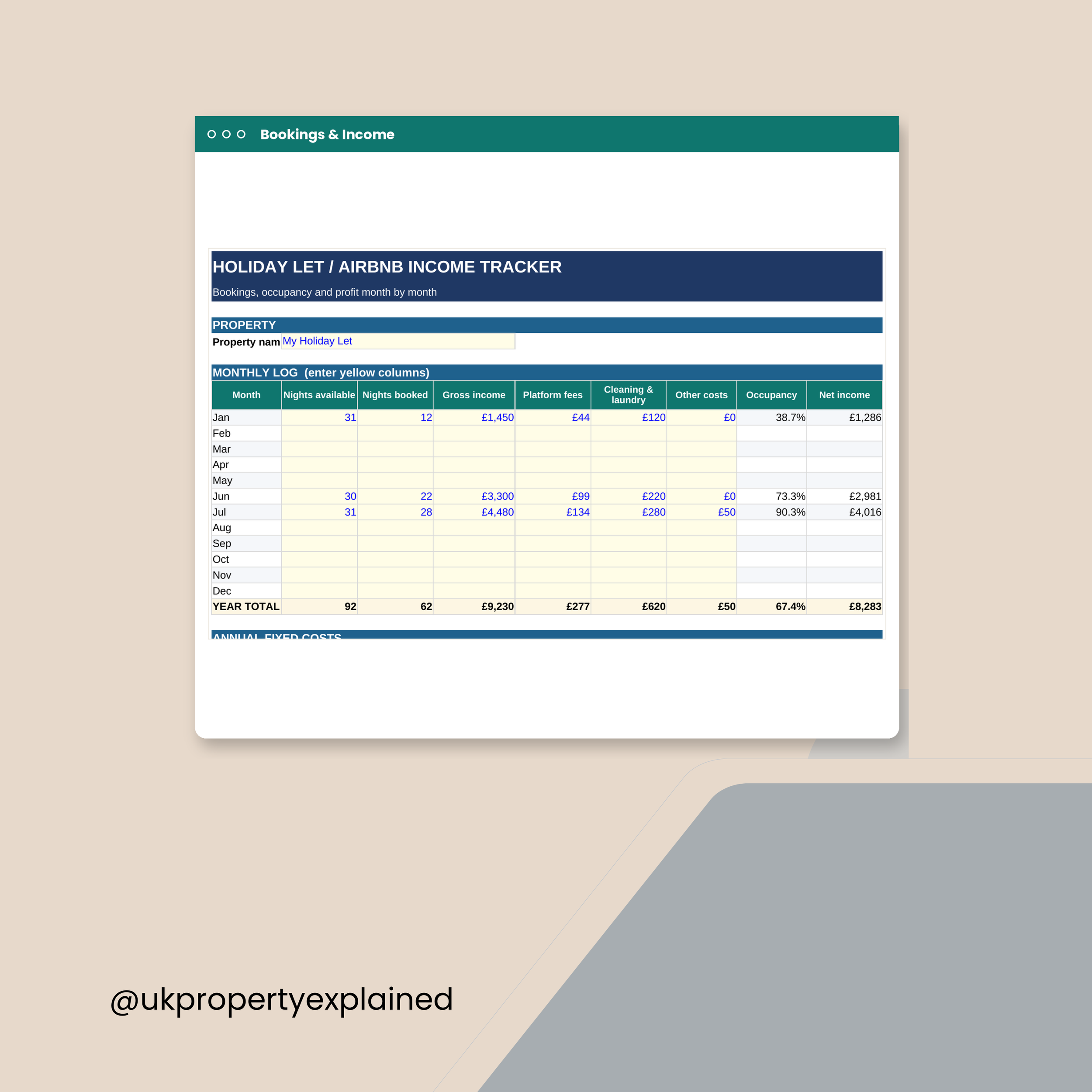
Twelve months, night by night. What a holiday let actually earns.
EACH MONTH, YOU ENTER
• Nights available and nights booked
• Gross income
• Platform fees
• Cleaning and laundry
• Other costs
IT WORKS OUT, MONTH BY MONTH
• Occupancy rate
• Net income
PLUS YOUR ANNUAL FIXED COSTS
Mortgage interest, insurance, utilities and broadband, council tax or
business rates, maintenance, licensing and compliance, accountancy.
THE DASHBOARD GIVES YOU
• Gross booking income for the year
• Nights booked versus available, and your occupancy rate
• Average nightly rate (ADR)
• Booking costs, and net booking income
• Total fixed costs
• PROFIT for the year
• Revenue per available night (RevPAN)
RevPAN is the number that tells you the truth. A high nightly rate with poor
occupancy loses to a modest rate that's always full.
Note: the Furnished Holiday Lettings regime was abolished in April 2025.
Holiday lets no longer get the old tax treatment — this tracker records what
you earn and spend, and doesn't assume FHL reliefs that no longer exist.
Excel (.xlsx). Works in Microsoft Excel and Google Sheets. Instant download.
Educational tool only. Not financial or tax advice. Correct as of July 2026.
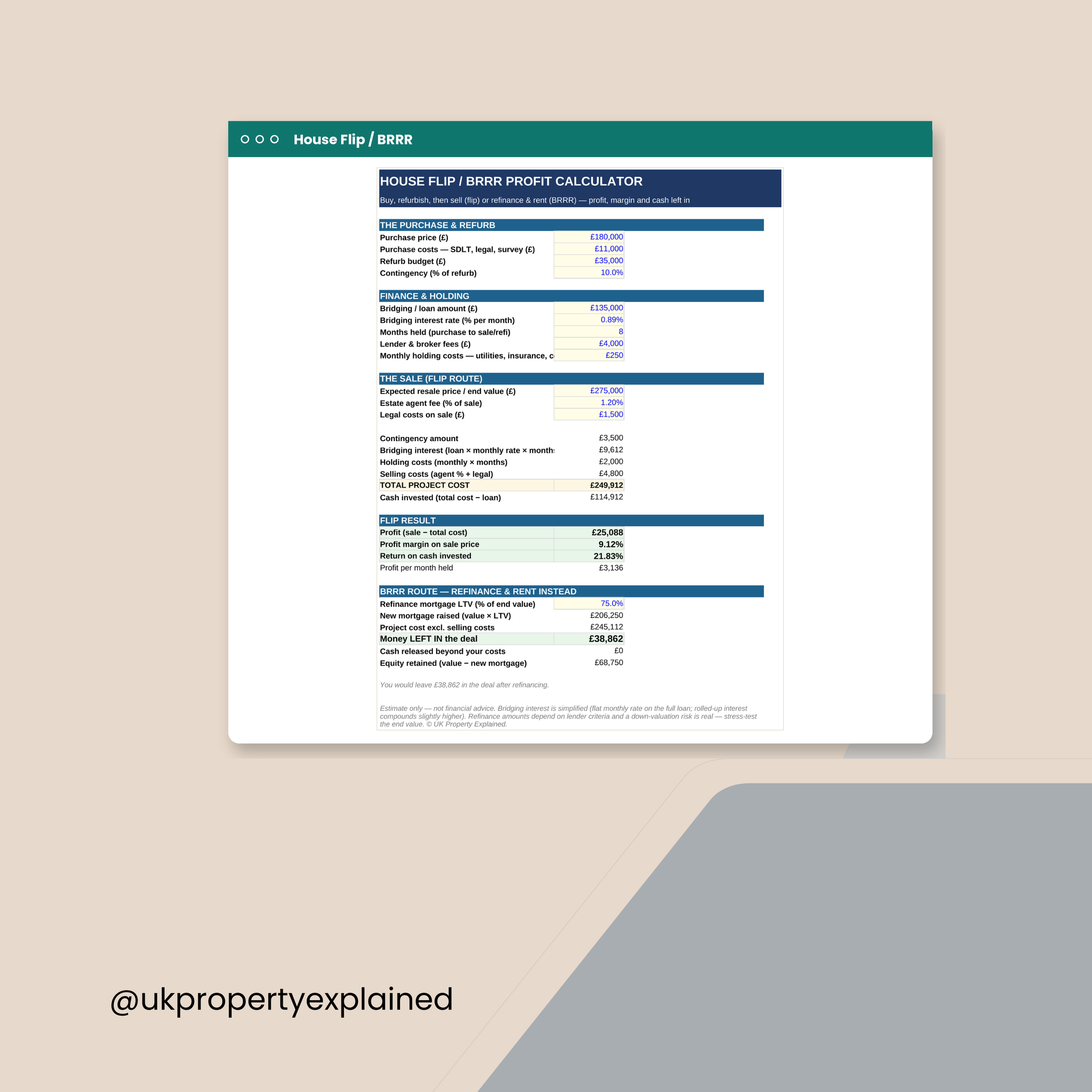
Two exits, one deal. Work out which one actually pays.
YOU ENTER
• Purchase price, purchase costs, refurb budget and a contingency %
• Bridging loan amount, monthly interest rate, and months held
• Lender and broker fees
• Monthly holding costs — utilities, insurance, council tax
• Expected resale value, agent fee % and legal costs on sale
THE FLIP ROUTE
• Total project cost, including bridging interest and holding costs
• Cash you've actually invested
• Profit, profit margin on the sale price
• Return on cash invested
• Profit per month held — the one people forget
THE BRRR ROUTE
• Refinance at your chosen LTV
• How much mortgage you raise
• Money LEFT IN the deal after refinancing
• Cash released beyond your costs, if any
• Equity retained
Bridging interest is charged monthly, and months have a habit of multiplying.
This calculator makes that visible before you commit, not after.
Excel (.xlsx). Works in Microsoft Excel and Google Sheets. Instant download.
Educational tool only. Not financial or mortgage advice. Bridging finance
carries real risk. Correct as of July 2026.

For flips, developments, holiday lets and the tax at the end of it.
FIVE TOOLS
1. House Flip & BRRR Profit Calculator — both exits, side by side. Profit,
return on cash, bridging interest, and how much money you'd leave in on a
refinance.
2. Development Appraisal (GDV-based) — multi-unit schemes. Total development
cost, development finance, profit on GDV, profit on cost, profit per unit.
3. CGT on Property Calculator — gross gain, Private Residence Relief, the 18%
and 24% slices, and what you're actually left with.
4. Holiday Let Income & Expense Tracker — month by month. Occupancy, ADR,
RevPAN and annual profit. Built after the FHL regime was abolished, so it
assumes no reliefs that no longer exist.
5. Service Charge & Ground Rent Tracker — every leasehold demand logged, with
outstanding, overdue and a monthly set-aside figure.
PLUS the How-to-Use Guide (PDF).
5 x Excel files (.xlsx) + guide (PDF). Works in Microsoft Excel and Google
Sheets. Instant download.
Educational tools only. Not financial, mortgage, tax or legal advice.
Correct as of July 2026.
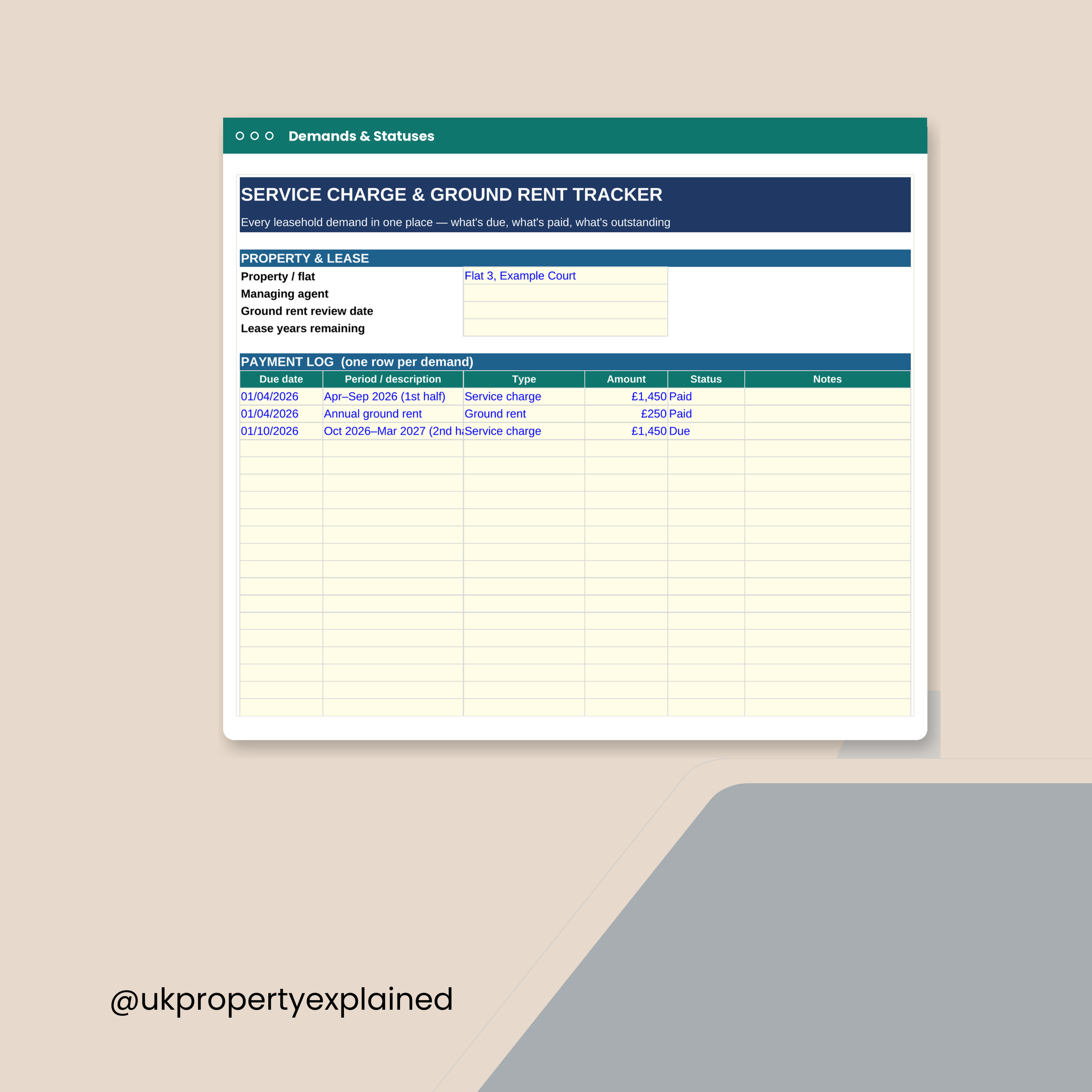
Leasehold costs arrive unannounced and disappear into a drawer. Log them here.
THE LEASE
• Property or flat, and managing agent
• Ground rent review date
• Lease years remaining
THE PAYMENT LOG — one row per demand
• Due date and the period it covers
• Type — service charge, ground rent, or major works
• Amount
• Status — paid, due, overdue or in dispute
• Notes
THE DASHBOARD SHOWS
• Total demanded across every row
• Paid so far
• Outstanding — due and overdue
• Overdue only
• Anything in dispute
• Split by type: service charges, ground rent, major works
• Monthly set-aside — the total divided by 12
That last figure is the useful one. Major works demands don't arrive
gradually; setting money aside monthly is the only thing that softens them.
Lease years remaining matters too. Below 80 years, extending gets sharply
more expensive.
Excel (.xlsx). Works in Microsoft Excel and Google Sheets. Instant download.
Educational tool only. Not financial or legal advice. Correct as of July 2026.